Microsoft 365 meets onOffice enterprise
Work seamlessly across platforms with the powerful synchronization of Microsoft 365 and onOffice enterprise. Enjoy smoother collaboration, better transparency, and higher efficiency for your entire team.


Work seamlessly across platforms with the powerful synchronization of Microsoft 365 and onOffice enterprise. Enjoy smoother collaboration, better transparency, and higher efficiency for your entire team.

The perfect combination for real estate professionals: Microsoft 365 and onOffice enterprise enable efficient, cross-platform teamwork. All property, contact, and activity information is intelligently linked in onOffice enterprise. But what if not all team members work directly in the software? No problem. Thanks to continuous two-way synchronization, appointments, contacts, and emails stay up to date in both Microsoft 365 and onOffice enterprise at all times.
Thanks to the integration of Microsoft 365 and onOffice enterprise, all operations remain transparent for your employees without access to the software!
Stay up to date at all times: With continuous two-way synchronization, your appointments, contacts, and emails are automatically updated on both platforms. No more tedious manual updates required!
Do some of your team members work without direct access to onOffice enterprise? With Microsoft 365 synchronization, your team can collaborate efficiently across systems, regardless of the technical environment.
No matter where activities are created, all actions are reliably documented. This ensures complete transparency for communication, information, and agreements.
Your data is safe with us: it is encrypted and transmitted via the Microsoft Graph API, protecting it from unauthorized access.
Attention real estate professionals: optimize your workflows by synchronizing onOffice enterprise with Microsoft 365. In this video, we show you how easy it is.

Microsoft 365 synchronization is especially useful when not all team members have access to onOffice enterprise.

Check a colleague’s availability or add appointments to their calendar with ease. Even if your back office works exclusively with Microsoft, appointments and linked contacts remain visible in onOffice enterprise thanks to two-way Outlook calendar synchronization.

Multiple team members working from a shared mailbox? No problem. Whether emails are processed in Microsoft 365 or onOffice enterprise, synchronization ensures all views are always up to date.
Discover onOffice enterprise, the real estate software that automates your business.


Microsoft 365 synchronization is available in these onOffice enterprise versions:
In our training videos, you’ll learn how automatic synchronization of appointments, contacts, and emails helps your team work more efficiently — without any manual data transfer.
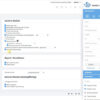


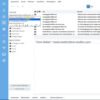
Some of our colleagues have already successfully implemented the one-way synchronization from Microsoft to onOffice. Since then, we have noticed a significant improvement in our workflow. Especially the seamless integration of video conferences allows for effective teamwork. We can schedule video conference appointments in Microsoft Teams, add participants, and the data is seamlessly synchronized to onOffice. Setting up the one-way synchronization was absolutely trouble-free. We continue to receive very positive feedback from our employees and highly recommend this solution.
Maik Ehlers, IT Project Manager at Grossmann & Berger GmbH
We answer frequently asked questions about the synchronization of Microsoft 365 and onOffice enterprise.
No, Microsoft Exchange is not supported. Synchronization only works with Microsoft 365 accounts. Also company Exchange servers cannot be synchronized.
No. Only one synchronization tool can be active. If you use Microsoft 365 synchronization, Z-Push or Memotoo cannot be used simultaneously.
Synchronization works in both directions. One-way synchronization from Microsoft 365 to onOffice enterprise is also possible.
Should a user encounter issues such as losing access to their Microsoft account, changing the password, or deleting the selected calendar, synchronization will halt, triggering an email notification to the user.
Data is synchronized automatically in the background as soon as changes occur, such as creating or editing appointments or processing emails. There are no fixed time intervals.
Shared emails, appointments, and contacts can be synchronized between both systems.
It is especially useful when not all team members have access to onOffice enterprise. Synchronization enables smooth cross-system collaboration with calendars, emails, and contacts.
Connect onOffice enterprise with other applications and devices.
Keep all emails in view and automatically link them to contacts and properties for maximum transparency.
Maintain a clear overview of appointments and availabilities.