
Promote Your Own Advertisements
Don’t just show listings—promote your brand. Use your Showcase TV to run custom video ads, highlight your services, or announce upcoming events directly in your window.


Make your brokerage the center of attention.
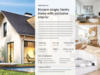
Printed brochure for your showcase require a lot of maintenance, as you need to print a new version for every change. Why stay analog when going digital is much easier?
Don’t just display your property listings in the window; showcase your portfolio with the showcase TV of onOffice enterprise – it’s eye-catching and persuasive.
Make sure passersby are captivated and filled with excitement!
With this fascinating eye-catcher, your real estate offers will remain memorable!
Attractive designs as well as images and videos: Professional window display advertising in your corporate identity with just a few clicks.
By presenting real estate offers on a screen in the shop window or office, you reach more potential customers and increase your visibility.
With Showcase TV, you can present your real estate offers, including photos, videos, and descriptions, anywhere and around the clock.
The real estate offers are updated automatically. Manual updates and printing out property brochures are no longer necessary.
Present your listings in their best light.
Don’t just show listings—promote your brand. Use your Showcase TV to run custom video ads, highlight your services, or announce upcoming events directly in your window.

Your content flows directly from onOffice enterprise in real time. The moment you update a price or add a new photo in the software, your Showcase TV updates instantly—no matter where the screen is located.

You don’t need a traditional window to benefit from digital signage. Since Showcase TV is powered by the internet, it is completely location-independent. Manage your content centrally and broadcast it wherever your target audience gathers—such as local bank foyers, partner offices, or shopping centers.

With onOffice enterprise, creating multiple presentations is effortless. Run different loops on various Showcase TV screens to target different demographics simultaneously. Combined with our Group Management feature, you can quickly deploy unique content across multiple branches from one central hub.
Watch how Showcase TV helps you command attention and stand out from the competition.

0Displaying properties and custom content in your window is fast and simple. All you need is an internet-enabled device and onOffice enterprise.
In your Basic Settings, select a template and customize your Showcase TV exactly how you want it. This is also where you’ll find the unique URL needed for your broadcast.
If you are managing Showcase TV for different teams or branches, you can find the specific settings and URLs within the Group Management panel. The template selection remains in the Basic Settings.
Fine-tune your display by setting the duration, slide intervals, and contact person. This is also where you can upload custom advertisements or promotional videos.
Showcase TV is a web-based presentation. To launch your content, simply open the URL in any browser on your internet-enabled device and switch to full-screen mode.
To feature a property on your screen, simply publish it for Showcase TV within the “Marketing” tab of the specific property record.
Has a property been successfully sold or let? Removing it is just as easy as adding it—simply deselect the Showcase TV option within the property record.
Make an Appointment now & Get your Free Trial!
Discover onOffice enterprise, the real estate software that automates your business.


Showcase TV is included in two versions of onOffice enterprise:

With Showcase TV, you can present your properties with elegance and a modern flair. Choose from various designs to create a presentation that truly captures your brand’s aesthetic.
Once set up on your device, the digital presentation runs entirely on its own. Maintenance is effortless: photos, descriptions, and videos are transferred from the software in real time, ensuring your window is always up to date without any extra work.
The Showcase TV primarily serves as decoration for us, but we still regularly receive enquiries about the properties displayed. Previously, we used to run a presentation through the server. Even for minor changes, we always had to recreate the entire presentation. With the Showcase TV, all updates are immediately online. It’s a great tool.
Peter Tiehen, Immobilien Tiehen oHG in Meppen
Publish your property listings from onOffice enterprise to the Showcase TV with a single click. Changes to the property are immediately updated, ensuring the latest version appears on the screen.
In our training video, we walk you through exactly how to transfer your listings from the software to your storefront display.

Answers to help you build a high-impact digital storefront.
It is a specialized feature that allows you to present your listings in a modern, attractive way directly in your office window. By using a digital display, you command more attention and draw in significantly more interest from passersby than with traditional paper ads.
In addition to onOffice enterprise, you simply need internet-enabled hardware. This includes any smart TV or monitor with a web browser, or a screen connected to a PC or media stick (like a PC-on-a-stick).
It’s simple: copy the generated link from onOffice enterprise and paste it into the browser of your display device. Switch to full-screen mode for the best visual result, and the presentation will run automatically in a loop.
No. To ensure your listings are always current, a stable internet connection is required to stream the content to your device.
Yes! The moment you make a change to a property in your CRM, the information is updated on your storefront screen in real time.
Of course! In the advanced settings of Showcase TV, you can easily insert custom promotional content or videos. These will play in a continuous loop alongside your property listings.
No, this feature is already included in our three core versions: pro, all-in, and expert.
Interactive online property listings for an immersive user experience.
Create professional property brochures using a modular system.
Discover the core of onOffice enterprise.